
AI PPE Detection
PPE detection uses a supported analytics application to flag a possible absence of a specified item of personal protective equipment within a configured camera view. Examples may include a hard hat or high-visibility garment, depending on the platform and model.
The purpose is to give a supervisor additional information for review, not to certify that a workplace or individual is safe.
Video unavailable. Follow the illustrated workflow below.
THE EVENT JOURNEY
Work-area approach → PPE check → supervisor review
Observe the work-area approach
The camera views visible helmets, vests or other attributes supported by the selected platform.
Flag a possible exception
Scene conditions and the available analytics determine which observations can be surfaced for review.
Notify a supervisor
An operational event can reach an authorised app, dashboard or monitoring workflow.
Check in context
A person verifies the observation. Video analytics supplements supervision and does not certify safety compliance.
Illustrative sequence, not a detection-speed demonstration. Capabilities and notification channels depend on the selected equipment, platform and agreed response workflow.
Define the PPE item and monitored task
A platform may support one PPE category without supporting another. Helmet, vest, eye protection, gloves and specialist protective equipment should not be treated as equivalent analytics functions. The project must identify the exact supported item, the area where the rule applies and the activity being monitored.
It should also establish whether the available view shows enough of the relevant equipment to make the rule useful.
A camera cannot confirm that PPE is correctly fitted, suitable for a particular hazard or maintained in the required condition merely by recognising its appearance. Analytics therefore supplements supervision, training, physical controls and the organisation's safety procedures. Any required dedicated safety system remains separate.
Event wording should say that a possible condition needs review rather than declare a verified compliance failure.
Place the camera where the rule makes sense
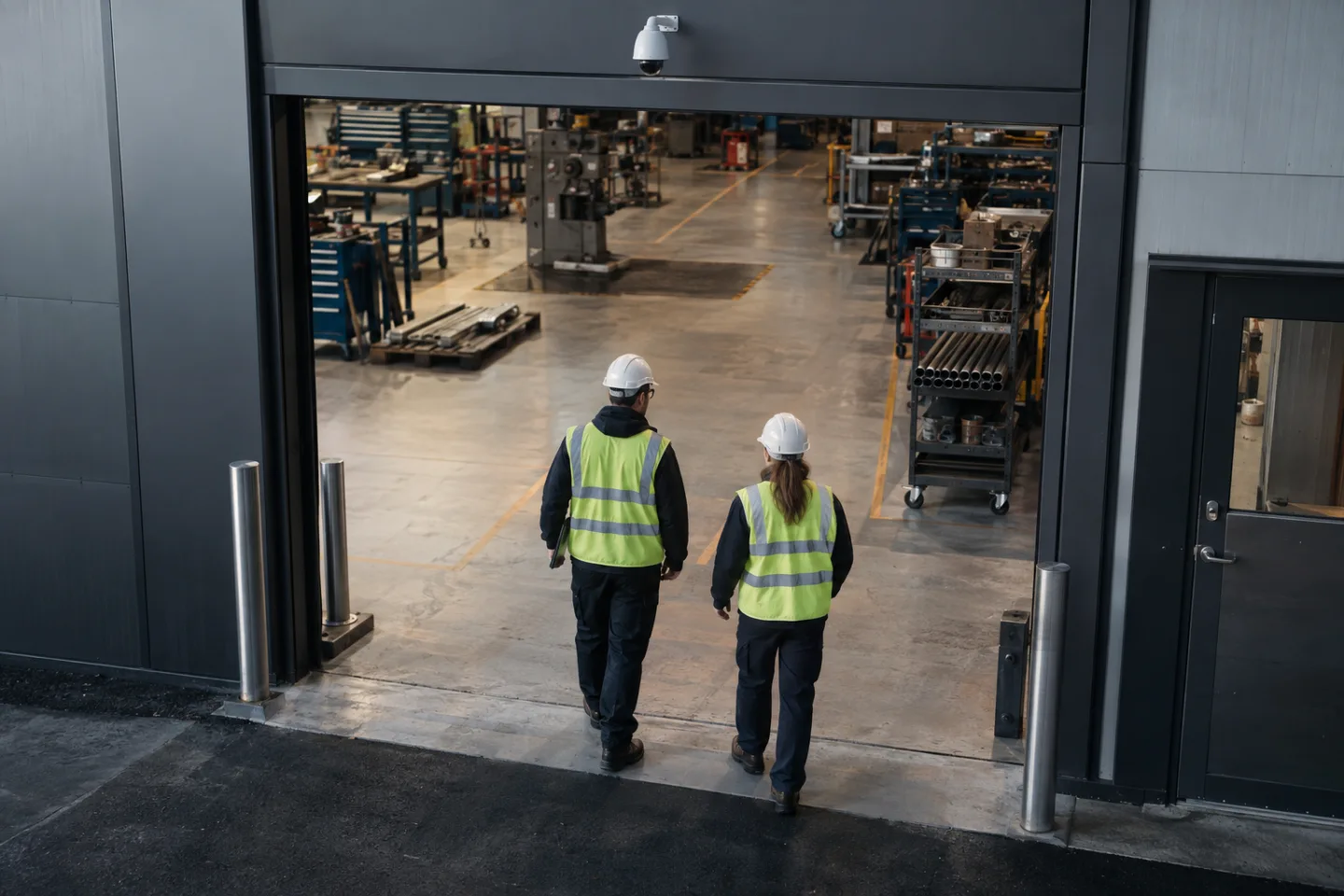
An entrance to an agreed work zone can be a more practical monitoring point than an unrestricted view of an entire warehouse. The camera position should consider head and torso visibility, lighting, distance, direction of travel and possible obstructions. Groups of workers, carried objects, changing clothing colours and equipment that hides the relevant body area can affect the image available to the model.
The platform's supported operating conditions, licences and camera requirements need to be checked before installation. A general human-detection function does not automatically include PPE analysis. Where an existing camera is proposed, assess its view and available processing rather than assuming a software option will provide the required result.
Document any tasks or locations that are outside the accepted monitoring scope.
Apply the information proportionately
Warehouse and logistics teams may use a supported rule at access points to designated operational areas. Industrial facilities may want additional awareness around a defined entrance or preparation zone. Commercial maintenance teams may consider selected tasks where the camera view is appropriate and the monitoring purpose has been agreed with the organisation.
A person holding a helmet before entering a work area presents a different situation from someone performing a task within a zone where it is required. Temporary visitors, authorised exceptions and the exact position of the configured boundary matter. An alert is not evidence of intent or a complete assessment of someone's working practices.
The supervisor should review context and follow an established process rather than automatically impose a consequence.
Connect detection to supervision
Where supported, the analytics event is sent through the network to a VMS, monitoring platform or agreed integration. It can include a zone identifier, timestamp, rule name and relevant image or clip. An email, mobile app notification, SMS workflow or operator alert may then reach the nominated supervisor.
A local indication or alarm output requires a compatible interface and a carefully defined purpose.
The workflow should avoid notifying multiple teams without clear ownership. Decide which events need immediate attention, how repeat events are grouped and what happens outside staffed hours. Record acknowledgement and the action taken where appropriate. A configured 24/7 analytics schedule is not a replacement for the people and procedures needed to review events, provide assistance and maintain safe working arrangements.
Test realistic clothing and behaviour
Commissioning should include representative garments, helmets, lighting, approach directions and ordinary movements. Test examples that the selected model is intended to recognise and document circumstances where the view or feature is unsuitable. Do not create an unsafe working condition to demonstrate a rule.
Approved demonstrations should occur within a controlled test plan and the site's existing safety arrangements.
Agree proportionate retention, access permissions and review procedures for images of workers. Reassess the configuration when PPE specifications, camera positions or work zones change. IS Security can coordinate the supported camera and analytics installation, cabling, network access and notification interfaces, while keeping the limitations of visual inference and the organisation's safety responsibilities clear throughout the handover.
From a possible event to a useful response.
Work-area approach → PPE check → supervisor review. Open each stage to explore its role. This is an illustrative workflow; it does not analyse live footage or send notifications.
01 / OBSERVESuitable work-area camera
The monitored condition is: supported visible ppe attribute. Select the device, field of view and installation position for this specific task. Record obstructions, lighting, power and maintenance requirements before relying on the event stream.
02 / INTERPRETPPE analytics on selected platform
Apply relevant zone and confidence settings. The selected platform must support the intended event and expose a usable interface. Test representative events and unwanted triggers; an analytics output is a candidate for review, not proof of what happened.
03 / CONNECTLAN → firewall → secure platform
Carry authorised event data through the local switch or sensor gateway and an approved network path. Size bandwidth for any accompanying clip. Protect accounts and interfaces, supervise connection loss and agree retry behaviour where the platform supports it.
04 / RESPONDSupervisor / operations team
Deliver the location, event type and time to the agreed recipient. A person verifies the available context, follows the site response procedure and records the outcome. Delivery, acknowledgement and resolution are different states and should be reviewed separately.
Where supported by the selected camera, sensor, VMS or analytics platform. Safety-related analytics provide supplementary operational awareness and do not replace dedicated certified fire or life-safety systems where required. The final design must define the equipment, event interfaces and responsible response team.
Reach the people who can act.
Available outputs depend on the selected platform, licences and agreed integrations. Open a channel for practical delivery considerations.
Send event context and a secure review link to an authorised mailbox where supported. Agree recipients and inbox monitoring; acceptance by a mail server does not confirm that a person has read or acted on the message.
Text / SMS
Use a supported gateway or monitoring integration for concise location and priority messages. Confirm service availability, costs and delivery reporting. Sensitive footage should stay within the authorised platform rather than an unrestricted text message.
Mobile apps
A supported application can present event details and acknowledgement controls to authorised users. Test notification permissions, connectivity and out-of-hours coverage. A silenced or offline handset needs a planned alternative recipient or escalation route.
Alarm outputs
A compatible interface may trigger an approved operational sounder, relay or indicator. Define supervision, reset behaviour and responsibility. Do not connect analytics directly to hazardous equipment or alter certified safety functions without the appropriate engineered design.
Control room / monitoring platform
Route supported events into the operator workflow with a consistent site identifier and priority. Give reviewers enough context to distinguish an actionable event from an unwanted trigger, with access restricted to their responsibilities.
Escalation & event review
Define who receives an unacknowledged event, how long the initial team has to respond and how closure is recorded. Review failed deliveries, recurring unwanted alerts and staffing gaps alongside the detection rules.
Plan the complete monitoring chain.
Start with the event, the operating environment and the person responsible for responding. Share existing equipment details, site plans and integration requirements with the technical team.
