Equipment installation
Agree terminal location, mounting, cable routes and power.


Starlink installation and integration for commercial sites, remote environments and temporary operating locations.
IS Security installs and integrates Starlink with onsite IT and network infrastructure. We plan equipment positioning and mounting, cable routing, power and network connections, then integrate the selected terminal with suitable routers, firewalls, LAN equipment and Wi-Fi. The work is scoped around the location, intended applications and provider service requirements.
Terminal position is one decision. Power, cable entry, routing, LAN connectivity and acceptance checks belong in the same plan.
Agree terminal location, mounting, cable routes and power.
Connect routing, firewall equipment, LAN and Wi-Fi.
Check service activation and the agreed local network connections.
Review symptoms, equipment compatibility and existing routes before a change.
Installation is scoped around supported hardware, provider requirements and the agreed local network configuration.
Physical infrastructure, connected equipment and a clearly agreed installation scope.
Review sky visibility, mounting access, cable entry and the route to the network equipment. Confirm hardware suitability before installation.
Connect the selected equipment to structured cabling, switches and wireless access points serving offices, cabins or operational areas.
Agree WAN interfaces, network access policies and supported secure remote access with the customer’s IT contact.
Where supported, scope a secondary connection and failover behaviour around the applications that need continuity.
Assess the current router, cabling and Wi-Fi before deciding which equipment can be retained.
Confirm the chosen equipment, plan, location and intended usage with the provider; subscriptions and provider service availability are separate from installation.
Plan satellite internet installation and integration at a commercial or remote site. Explore the decisions that shape the installation, interfaces and handover.
Before planning attendance, confirm the service, hardware and account arrangement appropriate to the location and intended use with the provider. The installation scope then considers mounting, power, cable entry and the local network. A terminal connected to the internet does not automatically make every business application reachable. Identify any remote-access, addressing or resilience requirements with the IT team. Starlink’s own installation guidance emphasises an unobstructed view of the sky; a convenient mounting point still needs to be assessed for the actual surroundings and supported hardware.
If satellite connectivity is intended as a second connection, define the changeover policy and the services that should use it. Discuss whether a switch between connections will interrupt active sessions and how that will be tested with the chosen equipment. If satellite is the primary connection, identify what can continue locally when external connectivity is unavailable. No diagram should imply guaranteed continuous service. A useful enquiry describes the site, existing network, critical applications and expected operating pattern so installation and integration can be scoped together.
Assess sky visibility, supported mounting and the protected cable route.
Confirm account readiness, power, routing and local network responsibilities.
Test the agreed user applications and any supported changeover behaviour.
Use these checkpoints to discuss the scope. The final test method, responsibilities and acceptance evidence depend on the selected system and agreed work.
These references explain relevant concepts. They do not imply a partnership, a supplied product or that every listed capability is included in a project.
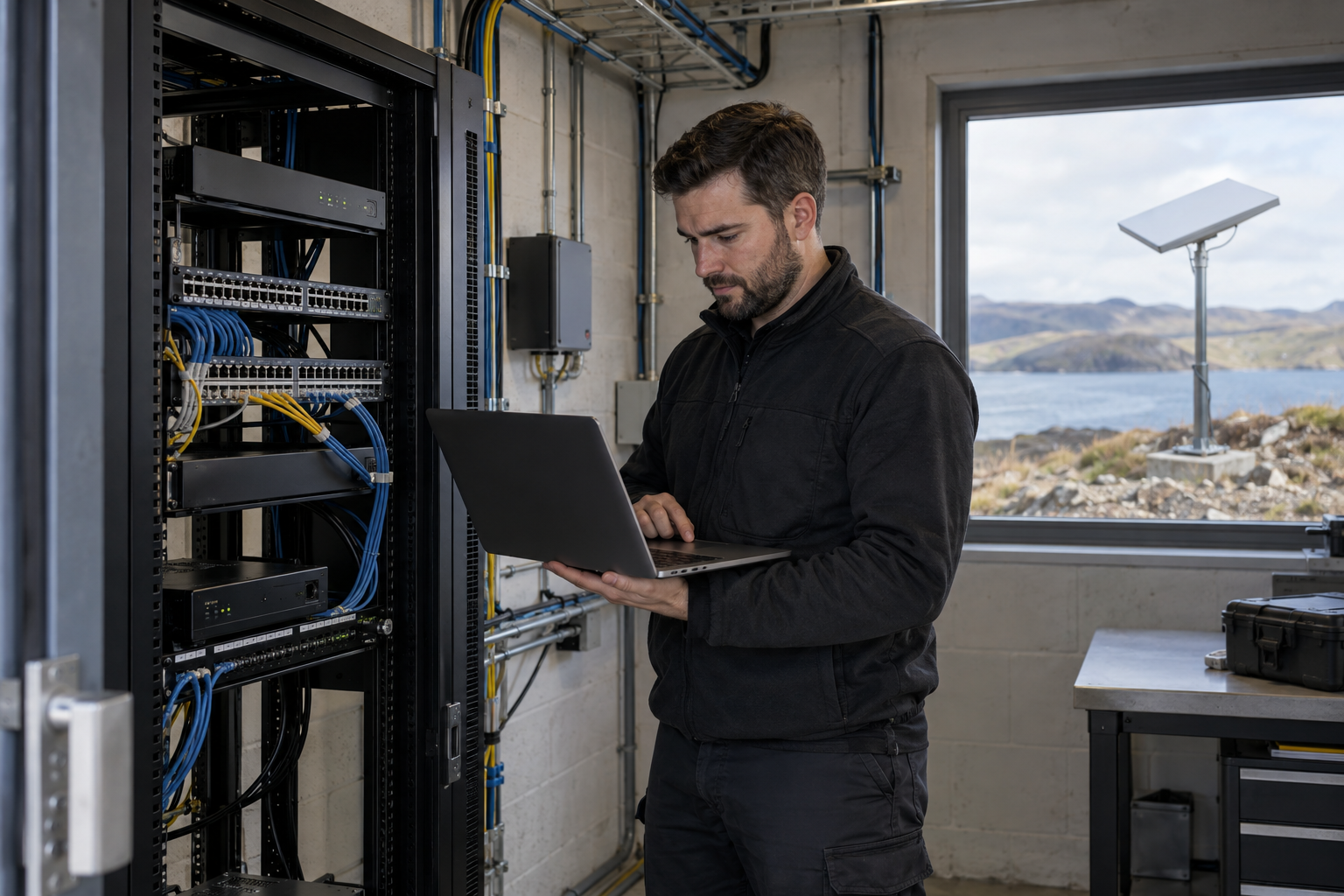
Remote connectivity installation needs both a suitable terminal position and a practical route to protected network equipment. Review obstructions, mounting access, cable entry and power with the site team. Use the current manufacturer guidance for the selected hardware, rather than assuming that a mount or cable from another generation is interchangeable. The customer should confirm service availability and the intended subscription separately from the installation appointment.
A remote office may need business workstations and a small wireless area, while a construction compound can have several buildings and cameras. Establish which devices will use the satellite service and how the router or firewall will connect to the local switches. Building-to-building distribution, indoor Wi-Fi coverage and camera access require their own scope. A working terminal does not establish that every area of the site has a usable network connection.
Commission the external link and then check representative devices on the local network. If a second connection is part of the design, agree the transition behaviour and the tests that demonstrate it. Record the terminal position, equipment connections and any obstructions or unfinished site works identified during attendance. Performance and service terms remain provider-dependent, so handover should describe the observed checks and installation boundaries without promising an unqualified speed or availability level.
Equipment-specific reference: Starlink: equipment installation guidance.
Explore installation requirements, interfaces and the information needed before work begins.
For a quote, provide the site location, photographs or plans of possible mounting areas, power availability and the existing router/firewall models. Describe the applications, user groups and any backup internet connection. Installation must follow the selected equipment’s current instructions and the agreed building or site access requirements.
Remote connectivity is useful only when it reaches the people and equipment that need it. Review copper cabling, any fibre links between network locations and Wi-Fi distribution. Separate CCTV, guest access and business traffic where supported and required by the network design.
Acceptance should cover activation, connection to the local network, authorised access and any agreed failover checks. Actual performance and availability depend on the provider service, installation location and operating conditions; installation is not a guarantee of uninterrupted connectivity.
Handover identifies equipment, cable routes, network settings and who manages the subscription and support. Existing equipment can be retained where compatible. Multi-site and international requirements are assessed by location rather than assuming one plan or equipment arrangement suits every site.
Sites with limited conventional broadband may need connectivity for staff, business applications, security systems or remote support. Temporary operating locations also need a practical plan for mounting, cable protection, equipment placement and eventual relocation. We scope the satellite installation and the local network together so the connection reaches the required working areas.
Where a temporary project base supports a wider installation programme, agree which users and systems need connectivity, where equipment will be secured and who will administer access. Supported network segmentation and firewall policies can separate guest, business and camera traffic without treating the satellite terminal as the entire IT solution.
Commissioning checks the installed equipment, router connection, LAN integration and agreed user access. If an existing installation is unreliable, provide the terminal model, cable route, power arrangement, router details and observed symptoms. Troubleshooting should consider both the satellite connection and the onsite network before equipment is replaced.
We can scope replacement or upgrades alongside cabinet changes, new cable routes and Wi-Fi improvements. Hardware suitability and service availability remain subject to the selected equipment, provider requirements and location. No authorised Starlink partner or reseller status is claimed.
Yes. We can coordinate the relevant cabling, network equipment and connected security systems within an agreed scope.
Tell us the site location, the required work, existing equipment and any access or timing constraints. Plans and equipment information can be discussed with the technical team.
Commercial sites. International programmes. Onboard systems.
Installations across all of the US, Europe, the Caribbean, the UK and South Africa, with deployment support in Canada and Panama.
Regional resources · Fly teams · International project support
Explore regions & deployment hubs → DEPLOYMENT NETWORK / ILLUSTRATIVE CONNECTIONS