Business network
Office IT, authorised users and application access.


Practical security for networks, infrastructure and connected commercial systems.
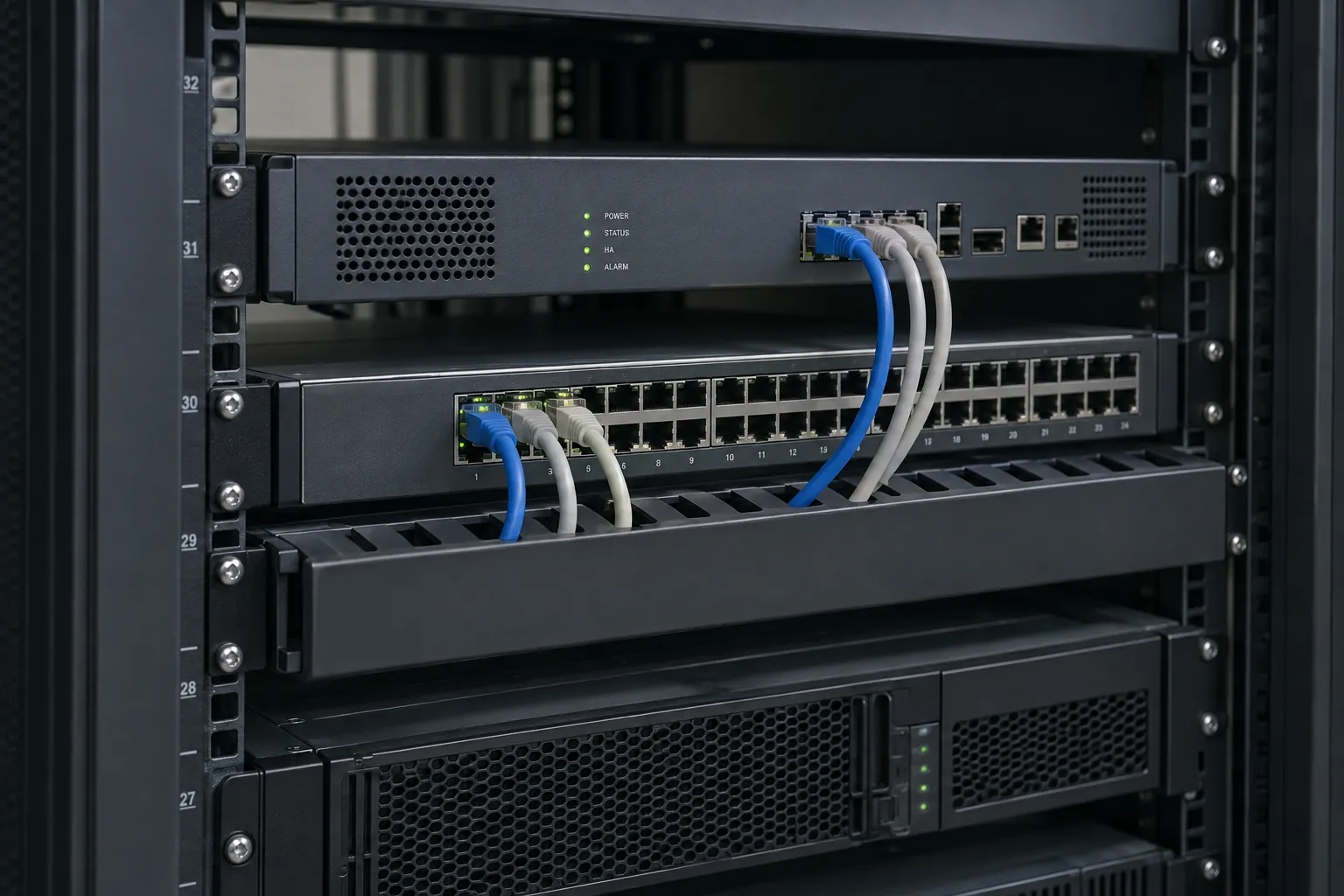
IS Security implements practical cyber security measures as part of commercial IT and network infrastructure. We connect the physical cabling and network equipment to defined security controls: firewall rules, network segmentation, secure device configuration and controlled remote connectivity. The work is agreed with your IT team or provider so each change has an owner and an acceptance check.
Connect the security configuration to the cabling, switching and equipment your organisation operates.
Office IT, authorised users and application access.
Agreed VLANs and firewall policies around connected security devices.
Supported VPN, administrator controls and agreed remote-support boundaries.
Network hardening, segmentation and access policies are scoped with your IT team. Configuration and acceptance responsibilities are agreed before changes.
Physical infrastructure, connected equipment and a clearly agreed installation scope.
Design and implement supported VLAN separation for corporate IT, CCTV, access control, guest Wi-Fi and operational device groups.
Configure permitted network paths on suitable equipment, with access based on the applications and responsibilities agreed for the project.
Review management interfaces, default settings, administrator accounts and unnecessary services on the devices included in scope.
Implement supported secure remote access for authorised users and technical support, with clear limits and account ownership.
Scope appropriate Wi-Fi authentication, guest isolation and administrative access with the chosen wireless platform.
Check required application traffic and restricted paths, record the agreed configuration and identify who maintains each control.
Understand practical commercial network hardening and security integration. Explore the decisions that shape the installation, interfaces and handover.
Start with the resources that need protection and the people or devices that require access. Location inside a building or on a particular network is not enough to establish trust. NIST’s zero-trust guidance treats access as an explicit decision around the resource rather than assuming everything on an internal network is safe. For a commercial installation, that leads to practical questions: who administers each device, which services must communicate and how is remote access controlled? A segmented diagram is useful only when those questions lead to implemented and maintained controls.
A warehouse cannot assess security changes only from an office laptop if cameras, access systems and logistics devices also depend on the network. Identify the operational systems affected by each change and include their owners in acceptance. Test that legitimate workflows continue while unnecessary paths are restricted. Agree how findings will be prioritised and who owns remediation outside the installation scope. This keeps hardening work specific and reviewable, without presenting a new firewall or isolated configuration change as a guarantee against every cyber incident.
List protected resources, device owners and legitimate access needs.
Implement agreed boundaries and supported administrative access.
Verify business workflows and assign ongoing control maintenance.
Use these checkpoints to discuss the scope. The final test method, responsibilities and acceptance evidence depend on the selected system and agreed work.
These references explain relevant concepts. They do not imply a partnership, a supplied product or that every listed capability is included in a project.
Start with the business devices, camera systems, guest services and remote users that need to communicate. Ask the customer IT owner to identify the approved destinations and administration requirements. This produces a practical basis for network security installation without assuming that every device should share the same access. Existing equipment, provider handoffs and customer-managed services need to be recorded before firewall or switching changes are planned.
Replacing a firewall or altering network boundaries can affect payments, remote access and business applications. Establish a change window, an authorised configuration owner and a restoration approach. Confirm that current configuration information is available through the customer-approved process. During installation, distinguish hardware and cabling work from policy decisions that require the IT team. If a dependent supplier is unavailable, record the acceptance check that remains open instead of assuming the application will work later.
Test representative permitted connections and the restrictions specifically included in the brief. A successful internet connection does not establish that the intended boundaries are in place. Document the devices changed, configuration ownership and unresolved dependencies. Keep sensitive administration information out of general photographs and public handover packs. This page concerns infrastructure security installation and integration; any continuing monitoring, incident response or wider assessment must be expressly included in a separate service scope.
Explore installation requirements, interfaces and the information needed before work begins.
A company installing CCTV, access control, Wi-Fi and operational IT should not necessarily put every device on one flat network. Camera recording may need access to a recorder without needing unrestricted access to office computers. Guest Wi-Fi should have an agreed internet path without inheriting access to management interfaces.
We can install the physical infrastructure, configure supported VLAN network segmentation and implement firewall policies around those connections. A VLAN label alone is not a complete security policy: routing and access rules must also match the intended separation. We test both the connections that should work and the paths that should be restricted.
Agree named administrators, access-control policies and the process for granting or removing support access. Configure MFA integration where supported by the selected firewall, identity or remote-access system. VPN configuration should match the user’s job and the equipment they need to reach.
Device hardening includes reviewing exposed services, management access and supported updates. Secure remote support connectivity should have an owner, a defined purpose and a way to revoke access when the work ends. Avoid treating a working internet connection as permission to expose CCTV or equipment administration directly.
During scoping we identify visible configuration weaknesses and obsolete or unsupported equipment within the installation brief. Logging and monitoring configuration can help the customer’s responsible team review access and system events; agree who receives notifications and who responds.
Endpoint security, intrusion prevention/detection features, backup/recovery planning and MFA integration are included only where the selected products and agreed support scope allow them. Patching and update strategies should define maintenance windows, compatibility checks and recovery steps. We do not imply a managed monitoring or specialist assessment service through these installation capabilities.
For retail, separate shared building systems from tenant networks and restrict access to camera and door-control management. For warehouses, consider operational equipment, wireless devices and contractors’ support connections as distinct access requirements. On vessels, agree the boundaries between business IT, crew connectivity, CCTV and operational networks with the vessel’s technical authority.
Maritime cyber security changes must respect the existing system responsibilities and available attendance window. Interfaces to operational systems are assessed and explicitly agreed; a general IT installation does not authorise changes to every connected vessel system.
Provide a network diagram if available, switch and firewall models, internet links, device groups and the applications that must communicate. Include existing IT-provider responsibilities, remote users, maintenance windows and known access problems. We can phase changes around live systems and support a common configuration brief across multiple locations, with international attendance assessed per project.
Acceptance covers the agreed traffic paths, supported remote access and administrator controls. Handover includes configuration records, responsibility boundaries and maintenance actions. Penetration testing, SOC operation, incident response and forensics are outside the service described here; no specialist accreditation is claimed.
We do not only install connected equipment: we can also build and secure the infrastructure supporting it. Structured cabling and fibre connect the network; switches and routers move its traffic; firewalls, VLANs and segmentation implement the agreed boundaries around business IT, CCTV, access control and supported operational systems.
Secure Wi-Fi, VPN access, device hardening and logging or monitoring configuration are scoped around the selected systems. For a multi-site deployment, use a common policy brief with site-specific configuration checks and documented support responsibilities. Satellite or other remote connectivity should enter that security design rather than bypass it.
Practical security surrounding installed networks, firewall equipment and connected systems. The precise equipment and configuration work are agreed during scoping.
These specialist services are not included in the offering described here. We focus on the infrastructure and network controls within the agreed installation scope.
Commercial sites. International programmes. Onboard systems.
Installations across all of the US, Europe, the Caribbean, the UK and South Africa, with deployment support in Canada and Panama.
Regional resources · Fly teams · International project support
Explore regions & deployment hubs → DEPLOYMENT NETWORK / ILLUSTRATIVE CONNECTIONS